Posted on Leave a comment

May 2026 WordPress News: AI Innovations, Platform Changes, and More

May 2026 WordPress News: AI Innovations, Platform Changes, and More

Welcome to the latest edition of the WPBeginner Spotlight! This month has been packed with significant developments in the WordPress ecosystem. The big news is the release of WordPress 7.0, but there’s so much more to explore. From AI-powered tools that streamline website management to important changes in plugin ownership, we cover it all. Whether you’re looking to speed up translations, block spam without CAPTCHAs, or understand the impact of StellarWP’s dissolution, this issue has you covered. Let’s dive into the highlights.

First up, Universally is a new AI translation platform that promises fast and affordable website translation. Unlike traditional plugins that slow down sites by storing translations in the database, Universally uses a cloud-based system to deliver content in over 110 languages without performance hits. It’s ideal for WordPress users and WooCommerce stores seeking global reach. Features include AI-powered translation, multilingual SEO support, automatic syncing, and a glossary to protect brand names. A free plan is available, with paid plans starting at $7.50 per month. Check out the full announcement for more details.

WordPress 7.0, named “Armstrong,” has officially launched. This update brings native AI integrations, allowing you to add AI API keys in one place for plugins to use. The admin interface has been redesigned with smoother transitions, instant page loads, and a new color scheme. Additionally, block and site editing have received major improvements, including custom CSS for individual blocks and device-specific visibility controls. For a complete overview, see our detailed breakdown.

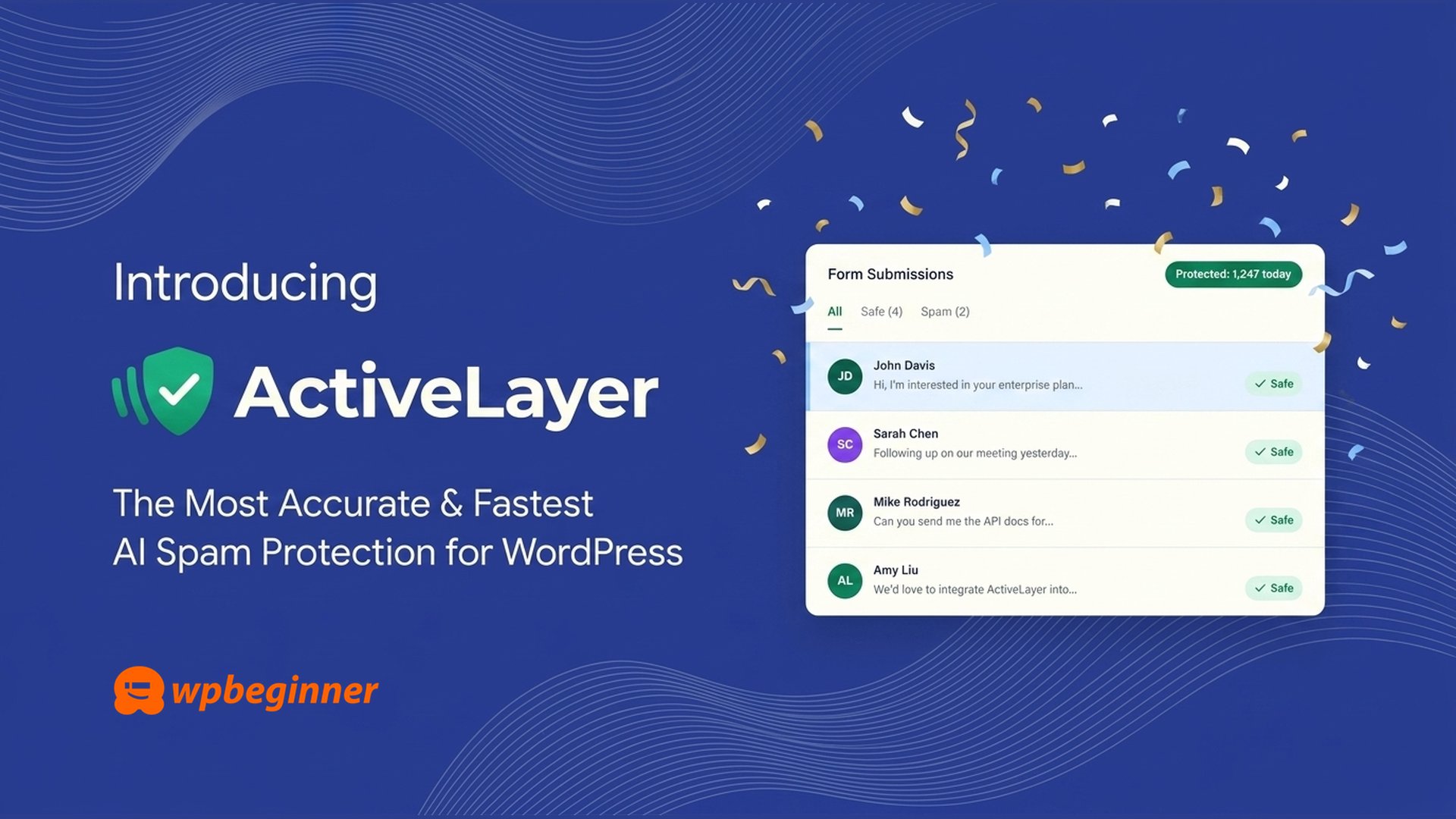
ActiveLayer is a new AI-powered spam protection service that blocks spam without using CAPTCHAs. Created by WPBeginner founder Syed Balkhi after dealing with large-scale spam attacks, it analyzes submissions server-side in milliseconds. It works with WordPress comments and popular form plugins like WPForms and Gravity Forms. Key features include AI detection, a confidence scoring system, and a centralized dashboard for multiple sites. The plugin is free with 1,000 spam checks, and paid plans start at $4 per month.

StellarWP is no more. Liquid Web has consolidated several well-known plugins—including GiveWP, LearnDash, SolidWP, and Kadence—under its new “Liquid Web Software” umbrella. Existing licenses and pricing remain as long as subscriptions stay active, but lapsed subscribers will face new pricing. This has raised concerns about future roadmaps and pricing. For those considering alternatives, we recommend Charitable, MemberPress, OptinMonster, Duplicator, Sugar Calendar, and aThemes as reliable options in various categories.

Uncanny Agent is an AI assistant built directly into WordPress that can answer questions, complete admin tasks, and build automations using plain English. It connects to real-time site data, including WooCommerce orders and user activity. Features include task automation, one-sentence workflow creation, and integration with tools like Slack and Google Sheets. It’s available via the Uncanny Automator AI + Automation Pro plan starting at $25 per month.

MonsterInsights has launched Charlie Chat, an AI analytics assistant that answers plain-English questions about your Google Analytics data. Available to all users, including free Lite, it provides actionable recommendations and insights on SEO, traffic, and eCommerce. For WooCommerce stores, it can answer questions about revenue and cart abandonment when the eCommerce addon is enabled.

WPForms now offers a native Klaviyo Addon, allowing data to flow from forms directly into Klaviyo accounts without third-party tools. Features include instant profile sync, conditional logic, and automated consent handling. The addon is available for WPForms Plus, Pro, and Elite users.

SeedProd has integrated with the WordPress Abilities API, making its site builder programmable via AI commands or API requests. Users can automate tasks like toggling Coming Soon mode, importing themes, and checking site status. Eight built-in actions are available, and SeedProd also highlighted its integration with WPVibe.

HelpJet is a free AI-powered customer support chatbot that learns from your website content. It provides automated conversations and human escalation when needed. Features include AI training on existing content, automatic weekly syncing, and a dashboard with analytics. It works on any JavaScript-supporting website, with a dedicated WordPress plugin for easier setup.

MemberPress has introduced ClubConnect, a native add-on for real-time group chat and private messaging on membership sites. It integrates with CoachKit, ClubCircles, and ClubDirectory to keep conversations on your site. Features include @mentions, file sharing, and email alerts. It’s available on the MemberPress Scale plan.

WPConsent has rolled out updates with a guided Cookie Inspector, site consent health score, Google Consent Mode V2 support, pre-styled cookie policy pages, and multilanguage support. These features help with compliance and are available in versions 1.1.5 and 1.1.6.

Charitable has added several features including a Zapier integration, abandoned donation recovery, conversion tracking for ads, and new payment gateways like RazorPay, Braintree, and PayPal Commerce. These are available on Charitable Pro and Elite plans.

In other news, Easy Digital Downloads introduced secure Magic Login Links to reduce cart abandonment. Envira Gallery now has a Google Photos addon for importing images. WordPress.com launched a blog-posts-to-podcast feature. AdTribes released a Feed Translation Addon. WordCamp US will be in Phoenix, Arizona from August 16–19, 2026. FunnelKit 3.8.1 integrates with MasterStudy LMS. WooCommerce expanded its Point of Sale capabilities.

That wraps up this month’s Spotlight. We hope these updates help you grow your WordPress site. If you have feedback, let us know!

Posted on Leave a comment

Uncanny Agent Revolutionizes WordPress with Native AI Assistant

Uncanny Agent Revolutionizes WordPress with Native AI Assistant

Does it ever feel like your WordPress dashboard is a black hole for your time? You log in with the best intentions to write a blog post, but soon you’re buried in orders, page updates, and plugin integrations. Before you know it, an hour has vanished without a single sentence written. What if you had an AI assistant right inside WordPress that could handle all that busywork for you? Imagine opening your site and simply asking, “How many orders came in yesterday?” or “Update my About page with our new address.” These tasks would be completed instantly, just by speaking plain English. This level of convenience has never been possible inside WordPress—until now.

Today, Uncanny Agent launches as the first true AI assistant built natively for WordPress, integrated into the popular Uncanny Automator plugin used by over 50,000 websites. With Uncanny Agent, you can ask questions about your site or tell it what you need done, and it takes care of everything. This answers the #1 question I hear from WPBeginner readers: “How can I use AI to save time on my WordPress site?” Most solutions are weak—either you type prompts into ChatGPT and follow instructions manually, or you spend hours building automations that replace manual work with management work. The real problem is that most AI chatbots can only talk about WordPress in general terms because they don’t have access to your actual site or plugins. They can’t answer questions like, “Which products sold best last week?” or “Why isn’t my WooCommerce checkout redirect firing?” For small business owners without a developer on call, this is a huge pain.

Uncanny Agent changes everything. It’s an AI assistant that lives inside your WordPress dashboard, ready to answer any question about your site or complete tasks on your behalf. You can ask, “How many users completed Course B this month?” and get an instant, accurate answer—no more digging through multiple dashboards. It can draft posts with featured images, update settings, generate reports, and even build automations from a simple conversation. For example, you can say, “When someone submits my contact form, send me a Slack notification and add them to Google Sheets,” and Agent builds that automation for you. You just review it and save it.

The best part? It’s affordable. Compared to piecing together separate automation tools like Zapier and AI assistants like ChatGPT (which don’t truly integrate with your site), Uncanny Agent starts at just $25 per month on the AI + Automation Pro plan. Because it’s built right into Uncanny Automator, it reads your actual WooCommerce orders, users, and content. It’s not guessing—it knows your site.

We’re just getting started. The team is expanding Agent’s capabilities to work with more plugins and deeper automation logic. Your feedback will shape the roadmap. If you’ve been hesitant to use AI on your WordPress site because tools felt disconnected or too generic, give Uncanny Agent a try. Start with the free Uncanny Automator plugin from WordPress.org, upgrade when you’re ready, and have your first AI assistant running inside WordPress in under ten minutes.

Posted on Leave a comment

Automating Lead Qualification with a WordPress Quiz

Automating Lead Qualification with a WordPress Quiz

Standard contact forms leave you guessing about who fills them out. You collect a name and email, but not whether someone is ready to buy, still researching, or not a good fit. At WPBeginner, we use a quiz to solve this. Before asking for an email, we pose a few targeted questions about the visitor’s goals and current situation. The answers sort each person automatically, so our follow-up emails align with their readiness. This guide explains how to replicate that system using WPForms, focusing on defining lead criteria, scoring responses, and routing leads without manual work.

A quiz outperforms a contact form because it captures intent. Imagine collecting 1,000 emails via a free download versus 200 from a quiz titled ‘Is your website ready to grow?’ The download group gave away nothing about themselves. The quiz group revealed their goals, urgency, and mindset just by participating. A wide net catches everyone, including unlikely buyers. A filter catches fewer people, but they are far more likely to convert. This applies across industries—web hosting, coaching, eCommerce, local services. A quiz also provides an immediate personalized result, building trust before you send any email.

Before building, define what hot, warm, and cold leads mean for your business. This step is often skipped but is crucial. Focus on readiness signals like timeline urgency, problem complexity, and decision-making authority. Budget matters less than urgency. For example, a hot lead might be someone with an existing site and high traffic seeking performance. A warm lead could be a beginner looking for reliable, affordable hosting. A cold lead is someone unsure if they need your service at all. Write your own definitions first—they guide every point value you set later.

You need four things before starting: a WordPress site, WPForms Pro (the Quiz Addon requires Pro), an email marketing tool already configured, and your lead criteria from the previous step. Install WPForms, activate your license, then install the Quiz Addon from the Addons page. Once active, you’re ready to build the qualification filter.

In WPForms, create a new form and name it descriptively, like ‘Lead Qualification Quiz.’ For lead scoring, choose the ‘Weighted’ quiz type, which assigns numeric points to each answer. This works best for measuring readiness and urgency. Keep the quiz to 4–6 questions using Multiple Choice, Dropdown, or Checkbox fields. Example questions for a hosting quiz: ‘What best describes your WordPress experience?’ (signals support needs), ‘How many visitors does your site get each month?’ (indicates pain point), and ‘What is your top priority in a hosting plan?’ (reveals purchase intent). Avoid budget questions—focus on readiness.

Set point values for each answer on a 0–100 total scale. Toggle ‘Include in Quiz Scoring’ for each field. Assign higher points to answers that show readiness. For instance, ‘Experienced WordPress user’ gets 25 points, ‘Brand new’ gets 5. ‘Over 10,000 visitors/month’ gets 25, ‘Under 1,000’ gets 5. ‘Performance and uptime’ gets 25, ‘Lowest price’ gets 8. With three questions, a perfect score is 75; add a fourth to reach 100. Set your hot-lead threshold at 75, warm at 40.

Next, build outcome screens under the Outcomes tab. These appear after submission. Create separate screens for each lead temperature using conditional logic based on score ranges. For hot leads (75–100): give a strong recommendation and a direct CTA, like ‘You’re ready for managed hosting—here’s our top pick.’ For warm leads (40–74): offer a useful guide or comparison, no hard sell. For cold leads (below 40): point to educational content, like a beginner’s guide. Each outcome should feel personalized and valuable.

Add an opt-in gate by inserting a Page Break before the outcome. Place Name and Email fields on the final page before the submit button. Make email required. Change the Page Break’s ‘Next’ button text to something benefit-driven like ‘See My Results.’ Also update the submit button text similarly. Test the quiz on mobile to ensure the layout works. Then connect your email marketing tool under the Marketing tab. Create three connections with conditional logic: hot leads (score ≥ 75) tagged ‘quiz-hot,’ warm leads (score 40–74) tagged ‘quiz-warm,’ cold leads (score < 40) tagged 'quiz-cold.' Each connection sends the lead to the appropriate list or tag. Save your quiz and embed it on a dedicated landing page.

Analyze your results after 50–100 submissions using the Results tab in WPForms. Look at score distributions—a healthy mix might be 20–30% hot, 40–50% warm, 20–30% cold. If everyone scores hot, raise your threshold. If no one scores hot, lower it or check your traffic source. Use the Form Abandonment Addon to spot leaky questions where visitors drop off. If a question causes abandonment, simplify it or move it later. A simple A/B test on your first question can boost completion rates quickly. Revisit your scoring quarterly or when your business changes—your definition of a hot lead may evolve.

By following these steps, you can automatically qualify leads without manual review, sending each contact to the right email sequence based on their score. This system ensures your follow-up is always relevant, boosting engagement and conversions.

Posted on Leave a comment

WordPress 7.0 Review: Key Features and Screenshots for 2026

WordPress 7.0 Review: Key Features and Screenshots for 2026

WordPress 7.0 has arrived as the first major update of 2026, bringing a suite of enhancements that transform how you manage content and design your site. After extensive testing since early beta phases, we can confirm this release delivers meaningful improvements for both casual bloggers and enterprise-level sites. From a centralized AI integration panel to responsive block controls and a polished admin interface, WordPress 7.0 makes the dashboard feel as fluid as a modern web application. Before upgrading, always ensure you have a complete backup of your site, especially if you aren’t using managed hosting that handles updates automatically.

The standout addition is the new AI Connectors screen, found under Settings. This central hub lets you link your site to artificial intelligence services without any third-party plugins. Think of it as a dedicated marketplace for AI providers: you select one—OpenAI, Google Gemini, or Anthropic Claude—enter your credentials once, and any plugin or theme that taps into the WordPress AI API can use that connection. This eliminates the old hassle of managing multiple API keys across different tools. For users who prefer to keep AI out of their workflow entirely, a simple line of code in your wp-config.php file disables all LLM features site-wide.

The admin area has undergone a visual refresh with updated color schemes, cleaner typography, and smoother transitions between screens. Navigation between Posts, Settings, and the editor no longer triggers full page reloads, making the experience feel faster and more responsive. The Command Palette, previously limited to the block editor, now works everywhere in the admin. Hit Command+K on Mac or Ctrl+K on Windows to quickly jump to any page, open settings, or perform actions without ever touching your mouse. This is entirely optional—traditional menus remain intact for those who prefer them.

Responsive block visibility is now built directly into the core editor, a feature long offered by page builder plugins. You can show or hide any block based on whether the visitor is using a phone, tablet, or desktop. Simply select a block, open the visibility options in the toolbar or inspector sidebar, and choose which device types to hide it on. Blocks with visibility rules display a small device icon in List View, and you can even apply different styles per breakpoint, such as adjusted font sizes or spacing for mobile screens. This capability eliminates the need for custom CSS in many responsive design scenarios.

Visual revisions have become significantly smarter. You can now compare two revisions side by side directly in the editor, with color-coded overlays highlighting every change. A green outline indicates added blocks, red marks removed blocks, and yellow shows modified settings. For text, green underlining shows additions while red strikethrough marks deletions. The sidebar also lists changed block attributes, giving you a clear picture of exactly what was altered. This is a game-changer for multi-author sites and anyone who wants to review content changes before publishing.

Custom CSS for individual blocks is another long-awaited feature. Select any block, open the Advanced panel in the inspector sidebar, and you’ll find a field where you can type CSS that applies only to that specific block instance. Changes render live in the editor, so you see the effect immediately. Only users with the edit_css capability—typically Administrators and Editors—can access this field. The CSS travels with the block if you duplicate or move it, and block developers can opt out of this feature if needed.

Three new native blocks debut in WordPress 7.0: Icons, Breadcrumbs, and Headings. The Icons block comes with the full WordPress icon library, allowing you to insert, resize, recolor, and adjust spacing on SVG icons without any plugin. The Breadcrumbs block automatically generates a navigation trail based on your site structure, helping visitors and search engines understand your content hierarchy. The Headings block consolidates all six heading levels into a single block with built-in variations, making it easier to maintain proper structure for accessibility and SEO.

Mobile menu overlays are no longer experimental. The Navigation block now includes a guided flow to create and customize overlays with pre-built design patterns. Theme developers can register a new navigation-overlay template part area to give users even more control from the site editor. Block patterns default to content-only editing mode, which simplifies the interface for swapping text and images without accessing design settings. Developers can disable this mode with a filter if they prefer full access to pattern internals.

Gallery lightboxes now include back and next navigation buttons, allowing visitors to browse through images without closing the lightbox. Arrow key navigation also works, and images with lightbox disabled individually are skipped automatically. Under the hood, theme developers can style hover, focus, focus-visible, and active states directly in theme.json without custom CSS. Blocks can now be registered using only PHP, reducing overhead for simple use cases. The new Block Selectors API lets blocks declare specific CSS selectors for Global Styles, giving developers precise control over styling.

The Font Library gets a dedicated management page in the dashboard, making it easy to upload and manage fonts across all theme types—block, hybrid, and classic. Previously limited to block themes, this feature now works universally. WP-CLI 3.0 ships alongside WordPress 7.0 with new commands for block entity access and AI Abilities API. The local development tool wp-env now supports phpMyAdmin on the Playground runtime. Site Health now displays OPCache information under Tools > Site Health > Info > Server, helping diagnose performance issues. The post editor automatically switches to an iframed layout when all blocks use API version 3 or higher, improving stability and performance. Administrator and Editor roles have been removed from the default user role selector to prevent accidental assignment of high-privilege roles, with a Site Health alert for existing sites affected. The minimum PHP version is now 7.4, with a strong recommendation for PHP 8.3 or 8.4.

Miscellaneous improvements include video embeds via URL for Cover blocks, standardized text alignment across eight additional blocks, and updates to the Interactivity API with a new watch() function. DataViews and DataForm packages received significant updates with new layouts and validation rules. Client-Side Media Processing, previewed during beta, was moved to a standalone plugin and is not included in core. Overall, WordPress 7.0 delivers a robust set of features that enhance content creation, design flexibility, and developer experience. We recommend testing on a staging environment before deploying to production, then taking time to explore the AI Connectors, revisions, and responsive visibility controls.

Posted on Leave a comment

ActiveLayer: AI-Powered Form Spam Blocker for WordPress

ActiveLayer: AI-Powered Form Spam Blocker for WordPress

Spam can be a real headache for any WordPress site owner, especially when it comes to forms and comments. You want to keep your site free of junk submissions, but you don’t want to force your genuine visitors to jump through hoops like solving puzzles or clicking on traffic lights. That’s where ActiveLayer comes in—a new tool designed to identify spam instantly without adding any friction for real users.

Think about the last time you filled out a contact form and had to prove you weren’t a robot. It’s annoying, and many people simply leave. Studies suggest that CAPTCHAs can cause up to 40% of users to abandon a form before submitting it. ActiveLayer changes that by working silently in the background, analyzing submissions in milliseconds and returning a verdict faster than a typical database query. Your visitors fill out a form, click submit, and move on—no delays, no lost leads.

We built ActiveLayer because existing spam solutions often fall short. Some are slow, taking two seconds or more to decide, which kills conversions. Others are too expensive, especially for small businesses managing multiple sites. And many lack transparency—you never know why something was marked as spam. ActiveLayer solves these problems by providing a confidence score with every decision, so you understand exactly how certain the system is about its verdict. If it ever gets something wrong, you can send feedback to help improve future detection.

The tool works seamlessly with all popular WordPress form plugins like WPForms, Gravity Forms, Contact Form 7, and Elementor Forms. You don’t need to rebuild anything—just install the free plugin from WordPress.org, enter your API key, and enable protection per form with a simple checkbox. It also integrates with any custom platform via a clean REST API, supporting Node.js, Python, PHP, Laravel, and more.

ActiveLayer is designed with small businesses in mind. While many spam tools charge per site, ActiveLayer offers unlimited sites on every plan. The Pro plan starts at just $4 per month (billed yearly) for 5,000 spam checks—that’s less than $0.07 per day. There’s also a free plan that includes 1,000 one-time checks for unlimited sites, with full API access and no credit card required.

Managing multiple WordPress sites is easy with ActiveLayer’s centralized dashboard. You can monitor spam protection across all your sites from one place, invite team members, and view client-level reports—no more juggling separate settings for each site.

We’re just getting started and have big plans for the future. Our goal is to make ActiveLayer the best spam protection for WordPress by listening to user feedback and building features that people actually need. If you’ve been putting off improving your spam protection because existing solutions were too expensive or complicated, give ActiveLayer a try. The free plan is genuinely free, and you can start protecting your forms and comments in just a few minutes.

Posted on Leave a comment

Boost Your Google E-E-A-T: A Step-by-Step Guide to Author SEO in WordPress

Boost Your Google E-E-A-T: A Step-by-Step Guide to Author SEO in WordPress

Even if you consistently publish high-quality content, your site might still struggle to climb the search rankings. The issue may not be what you write, but who search engines believe wrote it. This is where author optimization becomes essential.

Author SEO focuses on refining your author profile so that search engines can clearly identify the individual behind your content, including their background, skills, and trustworthiness. Google’s quality guidelines emphasize Experience, Expertise, Authoritativeness, and Trustworthiness (E-E-A-T), and while these are not direct ranking factors, providing clear author signals helps Google’s systems recognize your content as credible.

This guide will show you how to implement author SEO in WordPress, whether you manage a solo blog or a multi-contributor site. You’ll have everything configured to improve your chances in Google search results—no coding required.

The foundation of author SEO lies in making your author profiles rich with information that search engines can parse. Start by ensuring every author has a complete WordPress user profile, including first and last name, a biography, and optionally a personal website. But the real power comes from using a dedicated SEO plugin that offers an author module.

All In One SEO (AIOSEO) is a robust choice because it includes a specialized Author SEO (E-E-A-T) feature. After installing and activating AIOSEO, head to the Feature Manager and enable the Author SEO option. Then, navigate to Search Appearance and click the Author SEO tab. Here, you can configure how author information is displayed and automatically appended to your posts.

One critical step is defining Author Experience Topics. These are the subjects your site covers, such as “WordPress security” or “content marketing.” You’ll later assign these topics to individual authors to demonstrate their expertise.

With the framework in place, create or edit a user. In the user profile, you’ll now see an Author SEO tab. Fill out fields like Institution Name, Employer, Job Title, and Knows About (selecting from your predefined topics). Also upload a real photo of the author—avoid generic silhouettes or logos—and write a compelling bio that highlights verifiable achievements, such as certifications, recognized publications, or years of hands-on experience.

Don’t skip awards, spoken languages, and most importantly, external profile URLs like LinkedIn. These URLs become sameAs properties in Person schema, helping Google cross-reference the author’s identity across the web. When Google sees consistent information on multiple platforms—same name, same photo, same employer—it builds confidence in the author’s authority.

After updating the user, verify the schema using Google’s Rich Results Test or the Schema Markup Validator. Paste the author archive page URL (typically yoursite.com/author/username) into the tool. If any fields are missing or flagged, adjust the profile accordingly and re-test.

For multi-author blogs or brands, set up Organization schema in AIOSEO’s Global Settings. Choose “Organization” and fill in your company name, logo, contact information, and social profiles. This complements the author-level signals and provides a complete identity picture for Google.

Inside your posts, use AIOSEO’s author blocks. The Author Name block places the author’s name and photo near the title, while the Author Bio block shows a detailed bio at the end. These blocks not only enhance reader trust but also reinforce structured data.

If your site covers YMYL (Your Money or Your Life) topics like health or finance, add a reviewer. Create a contributor user for the reviewer, fill their Author SEO fields with relevant credentials, then insert the AIOSEO Reviewer Name block in the post and select the reviewer from the sidebar dropdown. This signals an extra layer of verification to Google.

Finally, decide whether to index or noindex your author archive pages. For multi-author sites with active, credentialed writers, indexing these pages can add SEO value. For single-author blogs or authors with few posts, noindexing avoids duplicate or thin content issues.

Author SEO is a long-term investment. Start with accurate, detailed profiles, use schema markup, and display author information prominently. Over time, these signals can strengthen your site’s perceived credibility and support better rankings.

Posted on Leave a comment

Liquid Web Drops StellarWP Brand: What GiveWP, LearnDash, SolidWP Users Must Know

Liquid Web Drops StellarWP Brand: What GiveWP, LearnDash, SolidWP Users Must Know

The StellarWP umbrella brand is no more, and this shift has left many WordPress site owners wondering how their favorite plugins will be affected. Back in 2021, Liquid Web—the parent company behind Nexcess—launched StellarWP to unify a collection of WordPress plugins it had been acquiring since 2020. This portfolio included well-known tools like GiveWP, LearnDash, SolidWP (previously iThemes), and several others, each with its own dedicated community and support team.

Now, Liquid Web has announced a major reorganization. According to their official statement, the StellarWP portfolio is being consolidated into four core products: Kadence, LearnDash, The Events Calendar, and Give. Several familiar brands are being absorbed into these core offerings. For instance, SolidWP (which provided security and backup features) is becoming part of Kadence Security, IconicWP (WooCommerce add-ons) is merging into Kadence Shop Kit, and Restrict Content Pro is now under Kadence Memberships. MemberDash is being incorporated into LearnDash. GiveWP is rebranding simply as Give under Liquid Web, while LearnDash and The Events Calendar continue as standalone core products. Kadence itself is expanding to become the flagship suite.

The company has assured users that this is not a forced migration. Your current plan, pricing, and tools will remain unchanged unless you choose to upgrade. Legacy features will still receive development attention, and security patches for absorbed brands will be provided through April 2027. Your hosting setup remains self-hosted and unaffected. However, there is a critical catch: if your subscription lapses, you lose access to your legacy pricing and must purchase a new plan at current rates. Therefore, the most important immediate step for current customers is to confirm that auto-renew is enabled on their accounts.

While nothing breaks tomorrow, the long-term outlook suggests that absorbed products may see slower feature development, changes in support structure, and pricing shifts over time. For those considering alternatives, there are robust independent options available. For donations and fundraising, Charitable offers a one-click GiveWP importer and full-featured donation management. For online courses and memberships, MemberPress provides an integrated solution that covers both LearnDash and MemberDash capabilities. For content restriction, MemberPress again stands out as a powerful alternative to Restrict Content Pro. For popups and opt-ins, OptinMonster delivers advanced conversion tools beyond what Kadence Conversions offers. For backups and migrations, Duplicator is a trusted choice that pairs well with dedicated security plugins like Sucuri or Wordfence. For event calendars, Sugar Calendar provides a lightweight, performant alternative to The Events Calendar. For WooCommerce add-ons, Merchant from aThemes bundles over 40 conversion modules at a lower cost than IconicWP or Kadence Shop Kit. For themes, aThemes offers Sydney for business sites and Botiga for WooCommerce stores as independent alternatives to Kadence.

The overarching recommendation is to choose plugins built by focused, independent teams that prioritize their product as their main mission. This approach tends to ensure better support, faster development, and greater alignment with user needs over the long term. Whether you stick with your current tools or transition to alternatives, the key is to make a decision that supports your site’s goals for the next five to ten years. For further comparisons, explore our curated lists of the best WordPress donation plugins, LMS plugins, membership plugins, backup plugins, security plugins, event plugins, WooCommerce extensions, and themes.

Posted on Leave a comment

Stop Losing Revenue: Eliminate Missed Appointments in WordPress

Stop Losing Revenue: Eliminate Missed Appointments in WordPress

Missed appointments drain your business’s bottom line, but you can put a stop to them. When a client fails to show, you lose not only the revenue from that session but also the opportunity to serve another paying customer. The solution lies in a three-pronged approach: automated reminders, easy rescheduling, and financial commitment. With the right tools, you can create a system that runs itself.

Why do clients no-show? Most often, they simply forget. Others double-book or feel awkward about canceling, so they just don’t appear. A small deposit creates skin in the game. The good news is that each of these causes has a fix. Automated reminders jog memories, self-service links remove the awkwardness of canceling, and deposits ensure commitment.

To implement these strategies on your WordPress site, you need a robust booking plugin. Sugar Calendar Bookings is a top choice because it bundles everything you need: booking forms, Stripe payments, email notifications, and self-service management links. Setup is straightforward. After installing and activating the plugin, run its setup wizard to configure your meeting type, services, availability, and payment gateway. Within minutes, your booking system is ready to go live.

With the plugin configured, you can generate a booking page using the Booking Form block. Customize the layout and colors to match your brand. Once published, clients can book slots and receive automatic confirmations.

To fight no-shows, head to the Emails settings. Here, you can enable and customize appointment reminders. The plugin includes smart tags like {customer_full_name}, {service_name}, {start_date}, and {start_time} to personalize each message. Crucially, include the {cancel_url} tag in the email body—this gives clients a one-click way to reschedule, reducing the chance they’ll ghost. A sample message could be: ‘Hi {customer_full_name}, this is a reminder for your {service_name} on {start_date} at {start_time}. Need to change? Use this link: {cancel_url}’. Save your settings and test by booking a dummy appointment.

For ultimate protection, require a deposit or full payment during booking. In the Payments settings, ensure Stripe is connected. Then edit each service and set a price. Enter the full fee for full pre-payment, or a smaller amount as a deposit. Communicate clearly in the service name or description whether the charge is a deposit or full price. For example, name a service ‘Consultation ($25 Deposit)’ and add a description explaining the total cost and refund policy.

Making rescheduling easy is key. The cancel URL in emails empowers clients to change plans without calling. Pair this with a clear cancellation policy displayed on your booking page and in emails. Stating your 24-hour notice window upfront reduces last-minute no-shows.

By combining automated reminders, deposits, and self-service rescheduling, you can slash no-shows and protect your revenue. This system works on autopilot, freeing you to focus on delivering great service.

Posted on Leave a comment

Set Up WooCommerce Back-in-Stock Alerts: A Step-by-Step Guide

Set Up WooCommerce Back-in-Stock Alerts: A Step-by-Step Guide

When a product is out of stock, it doesn’t have to translate directly into lost revenue. Rather, it represents a chance to maintain customer interest and encourage repeat visits. By implementing a back-in-stock notification system in your WooCommerce store, you can alert subscribers the instant an item is available again, turning a potential missed sale into a secured transaction.

This feature does more than recoup lost sales; it also fosters customer loyalty. Shoppers appreciate knowing that their interest is valued, even when you cannot immediately fulfill their order. Since WooCommerce does not include this functionality out of the box, you will need a third-party plugin. Below, I explain two distinct methods to add back-in-stock notifications without any coding knowledge.

Prerequisite: Ensure Email Deliverability

Before setting up notifications, it’s essential to configure a proper email delivery system. WordPress typically uses the PHP mail function, which often gets blocked by spam filters. Installing an SMTP plugin like WP Mail SMTP routes your emails through a trusted provider, adding necessary authentication. This ensures your back-in-stock alerts actually land in your customers’ inboxes. The plugin also offers email logging, so you can monitor which notifications were sent and when.

Method 1: Using Merchant Pro (All-in-One Toolkit)

Merchant Pro is a comprehensive WooCommerce growth plugin that includes a Waitlist module alongside over 40 other sales-boosting features. This is ideal for store owners who want to consolidate multiple plugins into one lightweight package.

To begin, install and activate Merchant Pro on your WordPress site. After creating an account on the aThemes website, download the plugin zip file and copy your license key. In your WordPress admin, go to Plugins › Add New, upload the zip file, install, and activate. Then navigate to Merchant › Settings to enter your license key.

Next, open the Waitlist module by going to Merchant › Modules › Boost Revenue. Click on Waitlist to access its configuration options.

Within the Waitlist settings, you can customize the form that appears on out‑of‑stock products. Adjust the form title, email field label, and button text (e.g., “Notify Me”). A live preview shows changes in real time. You can also set success and unsubscribe messages. Additionally, you may exclude specific products (like discontinued items) from displaying the waitlist form.

Under Email Settings, enable automatic notifications. Customize the content for two types of emails: a confirmation sent when someone subscribes, and a stock update email sent when the product is back in stock. Preview each email before saving.

If you prefer to place the waitlist form manually, enable the shortcode option. A shortcode like [merchant_module_wait_list] allows you to insert the form anywhere on the product page.

Once configured, click Save and then Enable the module. From this point, any out‑of‑stock product will automatically show the waitlist form. To test, set a product to “Out of stock” in its WooCommerce product data section and visit the front end.

As an alternative, Merchant Pro also lets you manually send stock update emails to subscribers via Products › Waitlist Subscribers. You can select subscribers and use the Bulk Actions dropdown to send emails. Always comply with privacy regulations when emailing customers.

Method 2: Using the Free Back in Stock Notifier for WooCommerce Plugin

For store owners on a tight budget, the Back in Stock Notifier plugin offers a powerful free solution dedicated solely to waitlists. Although its settings are more granular, it provides extensive control and built‑in bot protection.

Install and activate the plugin from the WordPress repository. Go to Plugins › Add New, search for “Back in Stock Notifier for WooCommerce,” install, and activate.

Navigate to Instock Notifier › Settings to configure the plugin. The settings are organized into several tabs:

Front End Form: Choose between a pop‑up or inline form. Customize placeholder text for name and email fields, as well as the button label.

Visibility Settings: Control where the form appears. You can hide it for specific product categories, such as discontinued items, to prevent customers from signing up for unavailable products.

Message Settings: Edit the text shown after a customer subscribes, as well as the content of the notification email. Friendly, on‑brand messages help build loyalty.

Mail: Set the sender name, sender email address, and subject line for notifications. Using your store name as the sender helps with recognition.

Background Process Settings: Choose between WooCommerce’s built‑in background process or the plugin’s default. The WooCommerce option integrates seamlessly; use the default if you encounter compatibility issues.

Bot Protection: Enable Google reCAPTCHA or Turnstile to prevent spam submissions. For reCAPTCHA, install the Advanced Google reCAPTCHA plugin, obtain API keys from Google’s reCAPTCHA admin console, and enter them in the settings.

Auto‑Delete Settings: Automatically remove subscriber records after a set number of days based on their status (e.g., mail sent, unsubscribed). This keeps your database clean and aids compliance.

Quantity Field Settings: Optionally collect the desired quantity from subscribers. Customize the placeholder and error message, or make the field optional for a simpler form.

Checkbox Subscribe Form: Provide an alternative checkbox‑style subscription option, allowing customers to sign up with a single click instead of filling out a form.

Estimate Stock Arrival: Display an estimated restock date to customers. Set rule priority if multiple estimates exist for a product.

Troubleshoot Settings: These experimental options are for advanced users only. Leave them unchanged unless directed by support.

After configuring all sections, click Save Changes at the bottom of the page.

Now visit any out‑of‑stock product page. You should see a “Subscribe Now” button that opens a pop‑up form. Test that the form works and that discontinued products do not show the button if you configured that.

To monitor subscribers, go to Instock Notifier › All Subscribers. Here you can view who signed up, for which product, and the notification status.

Back‑in‑stock notifications are a simple yet effective way to recover lost sales and keep customers engaged. Choose the method that best fits your budget and feature needs. For more ways to optimize your WooCommerce store, explore guides on flash sales, wishlists, smart product search, post‑purchase surveys, and sales funnels.

Posted on Leave a comment

Is Your WordPress SEO Strategy Delivering Results?

Is Your WordPress SEO Strategy Delivering Results?

Many WordPress site owners invest months into creating content but remain uncertain whether their SEO efforts are yielding results. The challenge lies in the fact that SEO success isn’t always obvious at a glance; it manifests through various subtle indicators across your site. Instead of looking for a single breakthrough, you should monitor a combination of signals such as organic traffic growth, keyword ranking improvements, indexed page counts, click-through rates, and conversions. This article provides a practical approach to evaluating your SEO performance using tools like Google Search Console, MonsterInsights, and AIOSEO.

If you’re pressed for time, start with a quick self-assessment. Ask yourself: Are you receiving any organic visits from search engines? Are your pages appearing in search results? Are your target keywords generating any impressions? A ‘yes’ to any of these confirms that your SEO is functioning to some degree. A ‘no’ indicates that you need to revisit foundational practices, which this guide will help you address step by step.

Understanding what ‘SEO working’ means is crucial. Instead of expecting a single metric to skyrocket, recognize that success appears as steady progress across multiple areas. Key signs include a gradual increase in organic traffic, your pages being indexed and visible in Google, improving keyword rankings (even moving from page three to page two), a rising click-through rate (CTR) indicating compelling titles and meta descriptions, and visitors taking desired actions like signing up or making a purchase. You don’t need all these to improve at once; even a few moving in the right direction shows that your SEO is building momentum.

To systematically check your SEO, start by tracking organic traffic. Organic traffic refers to visitors who find your site through search engines without paid ads. This is the most fundamental indicator. Use MonsterInsights to simplify this process; it integrates with Google Analytics and displays your traffic data directly in your WordPress dashboard. Navigate to Insights » Reports to see an overview. For deeper insights, switch to the ‘Search Console’ tab (Pro version) to view top queries, clicks, impressions, CTR, and average position. MonsterInsights also includes an AI Traffic report to track visitors from AI platforms like ChatGPT. If you prefer Google Analytics directly, go to Reports » Acquisition » Traffic acquisition and look for ‘Organic Search’. A growing trend signifies effective SEO; a flat line is normal for new sites; a decline may indicate issues like content quality or indexing problems. To boost traffic, update older posts, publish new content targeting low-competition keywords, improve internal linking, and consider building content clusters.

Next, verify that your pages are indexed. Indexing is the process where search engines discover and store your content. Without indexing, no traffic can flow. Use AIOSEO to check indexing status easily. After installing and connecting it to Google Search Console, go to Search Statistics » Index Status for an overview. Each post displays an index indicator, and you can expand details to see whether Google found it via sitemaps or links. Alternatively, in Google Search Console, use the URL Inspection tool to check a specific page. If a page isn’t indexed, request indexing or enable IndexNow (built into AIOSEO) to notify search engines instantly upon updates. Also, submit your sitemap (e.g., sitemap.xml) in Search Console to help Google discover all pages.

Monitor your keyword rankings to see if your content is moving up for targeted terms. AIOSEO’s Search Statistics feature acts as a keyword rank tracker. After connecting to Google Search Console, you’ll see widgets like Keyword Positions and Keyword Rankings. You can manually add keywords, import from focus keywords, or upload via CSV. The dashboard shows clicks, impressions, CTR, and position history for each keyword, and you can expand to see which pages rank for that term. If rankings are stagnant, improve content depth with more helpful information, target easier long-tail keywords, add internal links, and organize content into clusters to establish topical authority.

Analyze your organic click-through rate (CTR) to gauge how well your search listings attract clicks. CTR reflects the effectiveness of your title and meta description. In AIOSEO’s Search Statistics, you’ll see search impressions, total clicks, average CTR, and average position. In Google Search Console, go to Performance » Search results to see these metrics. High impressions with low CTR suggest your title or description needs improvement; high CTR means your listings are compelling; low impressions indicate you need better rankings first. To improve CTR, update your title with numbers or current year, rewrite your meta description to clearly state value, and add schema markup (like FAQ or ratings) using AIOSEO to make your listing stand out with rich snippets.

Finally, measure SEO-driven conversions—actions visitors take that matter to your business (e.g., purchases, sign-ups, form submissions). MonsterInsights makes this easy with its eCommerce and Forms addons, showing product performance, revenues, and form submission rates in your dashboard. In Google Analytics, go to Reports » Engagement » Conversions or Events to track actions. If traffic is high but conversions are low, improve calls-to-action, ensure your content matches user intent, and simplify site navigation. A monthly check-in of these five signals—traffic, indexing, rankings, CTR, and conversions—takes less than 20 minutes and provides clarity on your SEO trajectory. Remember, SEO is a long-term game; typical timelines range from 3–6 months for new sites to show initial results, with more established sites seeing gains sooner. Consistency outweighs speed.

Frequently asked questions: How do I know if my SEO is improving? Look for steady growth in organic traffic, better keyword rankings, and increasing impressions. Why am I not getting traffic? Your site may be new or pages not fully indexed; give it time. Can I check SEO for free? Yes, Google Search Console provides indexing, keyword, and visibility insights for free. What’s more important: traffic or conversions? Conversions, as they represent real business results from your SEO efforts.